What Breaks When a Robot Fleet Grows From 10 Units to 100
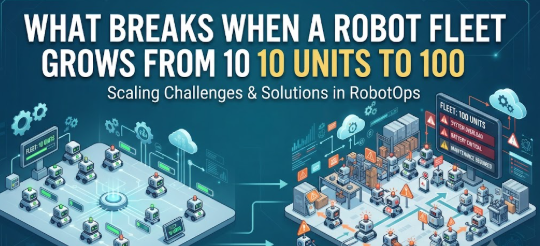
Most robotics teams get their first deployment right. Ten robots, one warehouse, a small team watching over things closely. Then leadership approves the next phase, and suddenly there are 100 robots running across three sites.
That’s usually when problems start showing up that nobody planned for. Not because the robots got worse, but because the systems built for a small deployment weren’t built to handle a big one.
This is a scaling problem, and it’s more common than most companies expect.
Why Scaling Robots Isn’t Just “More of the Same”
With a small fleet, a lot of things can be handled manually. One person can glance at ten robots on a screen and understand what’s happening. Task assignments can be adjusted by hand if something goes wrong.
Scaling, in this context, means increasing the number of robots without breaking the systems that manage, monitor, and coordinate them.
Once the fleet grows past a certain size, manual oversight stops working. The team isn’t slower or less skilled, there’s just too much happening at once for a person to track without automated support.
Where the Cracks Usually Show Up First
Task assignment gets messy. With ten robots, assigning jobs manually or with simple rules works fine. With 100 robots across multiple zones, you need a system that can assign tasks based on battery level, location, and current workload, automatically and in real time.
Monitoring dashboards become noise. A dashboard showing ten robots is easy to scan. The same dashboard showing 100 robots turns into a wall of icons that’s hard to interpret quickly, unless it’s designed to highlight what actually needs attention.
Network and connectivity limits appear. Small deployments rarely stress a facility’s Wi-Fi. Large fleets moving constantly and streaming telemetry data can expose weak spots in network coverage that nobody noticed before.
Maintenance scheduling turns into a bottleneck. Servicing ten robots on an as-needed basis is manageable. Servicing 100 robots without a planned rotation often means several units go down for maintenance at the same time, cutting fleet capacity right when it’s needed most.
How Teams Actually Handle This
Automated task orchestration. Instead of assigning jobs manually, the system distributes tasks across available robots based on real-time conditions like proximity and battery charge.
Exception-based monitoring. Rather than displaying every robot equally, dashboards are set up to surface only the robots that need human attention, stalled units, low battery, error codes, and let the rest run quietly in the background.
Zone-based network planning. Facilities running large fleets often map out coverage zone by zone, rather than assuming a single access point can handle the traffic from dozens of robots.
Staggered maintenance windows. Instead of reactive repairs, maintenance gets scheduled in rotation, so only a small percentage of the fleet is offline at any given time.
A Practical Example
A logistics company running 12 warehouse robots decided to expand to 90 units after a successful pilot. They kept the same manual task-assignment process that worked fine at the smaller scale.
Within weeks, robots were sitting idle waiting for manual job assignment while other zones fell behind. The fix wasn’t more robots or faster hardware. It was replacing manual assignment with automated task orchestration that matched jobs to available robots as conditions changed.
The lesson here isn’t really about robot count. It’s that processes built for ten units rarely transfer cleanly to a hundred.
Common Mistakes During Scaling
Assuming existing tools will scale automatically. A spreadsheet or basic dashboard that worked for ten robots often becomes a liability at fifty or more.
Underestimating network capacity. Teams frequently plan robot count and forget to plan the network infrastructure supporting all of them.
No staggered rollout. Jumping straight from a pilot to full deployment skips the chance to catch scaling problems early, when they’re easier to fix.
Treating maintenance as reactive. What works as “fix it when it breaks” at small scale becomes unsustainable once dozens of units are running simultaneously.
Best Practices for Scaling Smoothly
- Roll out in stages, doubling fleet size rather than jumping straight to the target number.
- Set up automated task assignment before you actually need it, not after manual methods start failing.
- Map network coverage for the full facility, not just the areas used during the pilot.
- Build a maintenance rotation schedule before the fleet grows past what manual scheduling can handle.
- Review monitoring dashboards regularly to confirm they’re still useful as robot count increases, not just visually complete.
For teams working through fleet growth in more depth, RobotsOps has additional resources on robot operations and day-to-day fleet management.
FAQs
At what fleet size do these scaling issues usually start?
There’s no fixed number, but many teams notice friction somewhere between 20 and 40 robots, when manual processes stop keeping up with the pace of operations.
Can existing fleet management tools scale, or do they need to be replaced?
It depends on the tool. Some platforms are built with scaling in mind from the start. Others are designed for smaller deployments and need to be replaced as the fleet grows.
Is network capacity really a common problem?
Yes. It’s one of the most overlooked factors, mainly because it doesn’t show up as an issue until robot density and data traffic both increase at the same time.
Conlcusion
Growing a robot fleet isn’t just a matter of adding more units. The systems managing task assignment, monitoring, and maintenance all need to grow with it, or they become the actual bottleneck.
Planning for scale before it’s urgent, rather than reacting once things start slipping, is what separates a smooth expansion from a frustrating one.
Leave a Reply