Five Everyday Situations Where Proezi Replaces a Repeated Message
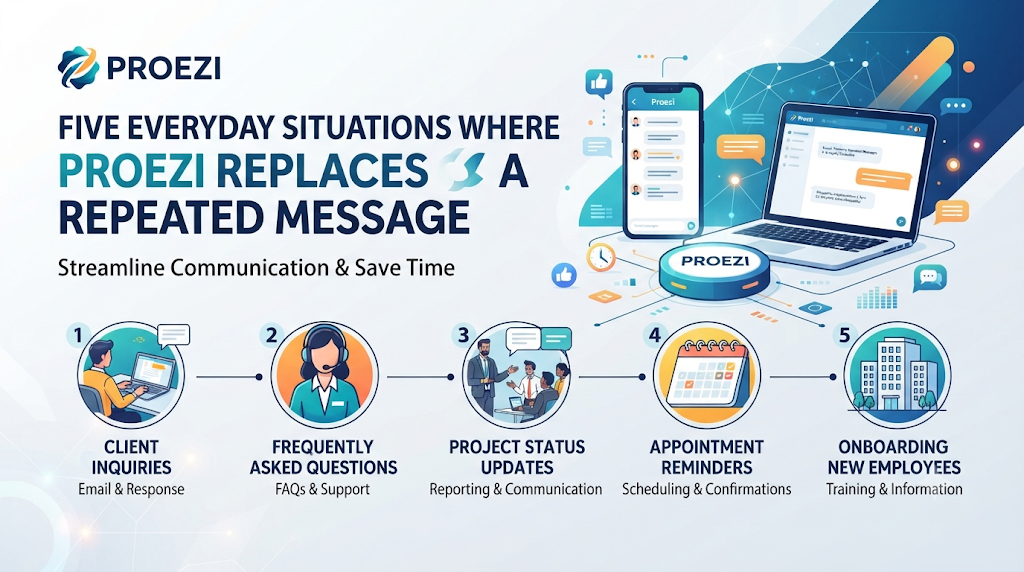
Business communication is full of small triggers. A visitor calls from the car park. A customer asks where to send a payment. A partner wants a registration number. A gate closes without notice. A printed sign becomes out of date. Each trigger sets off the same chain of events: someone stops work, looks for the right information and types it out again.
Proezi is a web-based platform that lets organizations answer these triggers with dedicated pages, shared through reusable links and QR codes. Rather than describing the platform feature by feature, this article follows five situations in the order a business might meet them, and shows what a prepared page changes in each one.
When a Visitor Cannot Find the Door
This is the most visible situation, and the platform’s main focus. A street address brings a person to the right area but not to the right entrance. They still need to know where to park, which door to use, how to pass the gate, where reception is and how to reach the correct floor or room. This final stretch is what many people call last mile navigation for businesses.
A how to find us page for business built on Proezi answers these questions in sequence. It can describe parking and entrance directions for visitors, security checks, reception and check-in, lifts, floors and rooms. Annotated photographs, map coordinates and landmarks help people recognize each stage. An emergency contact button lets lost visitors reach someone, and different routes can be published for drivers, pedestrians, taxis, deliveries and visitors who need step-free access.
For the outdoor journey, visitors can open Google Maps, Apple Maps or Waze, then follow the written steps. Because the page works as visitor wayfinding software built on published instructions, it does not track anyone inside the building. It guides through clear steps, and it opens in an ordinary browser without an app or account.
When a Customer Asks for Bank Details
The second situation arises in the accounts office. A customer is ready to pay and asks for the details. Staff copy them from an older message or an invoice, and sometimes the wrong version goes out.
A payment details page offers a single, stable answer. A business can use it to share bank details with customers through a reusable link. The page can hold bank transfer instructions, account holder names, account details, UPI information, PayPal details and supported international identifiers. A payment-purpose reference shows the payer what to write on the transfer, and copyable fields reduce typing errors. A UPI QR code payment page can be printed for a counter, a stall or an invoice.
It is important to be exact about what this does. Proezi shows payment information. It does not process, collect or transfer money, and it is not a bank, wallet or gateway. The customer pays through their own banking or payment application, and the business confirms receipt in its own accounts.
When a Partner Requests Company Records
The third situation comes from outside. A new supplier, bank or larger buyer asks for the registered business name, company registration identifier or tax number. These details are usually available, but they live in different files, and each request becomes a small search.
A separate identity page allows a business to share business registration details online through one link. It can show the registered name, registration identifier, tax number and related information. Supported identifiers go through format and checksum validation, which tests structure and mathematical rules. The platform does not confirm ownership or registration status with a government authority. A partner who needs certainty should check with the official registry, and the business should avoid describing its page as proof of legitimacy.
When Access Conditions Change Without Warning
The fourth situation is the one that exposes weak communication most quickly. A gate is closed for repairs, a lift is out of service or a car park fills early. Messages already sent cannot be corrected, and visitors arrive with the old instructions.
With a page, the business adds a temporary notice or edits the route. Everyone who opens the link after that sees the change. Alternative routes can be described for the days when the normal entrance is unavailable. The point is not that problems disappear, but that the business has one place to correct them.
When Printed Signs Need to Last Longer
The fifth situation concerns physical signs. A printed direction board becomes wrong the moment something changes, so many businesses avoid printing anything detailed.
A QR code solves this by pointing to a page rather than carrying the instructions itself. The code stays the same while the content behind it is updated. QR code directions for visitors can be placed at car park entrances, gates, lobbies and reception desks. At events, an event venue directions QR code can go on tickets and entry boards. Codes should be large enough to scan from a short distance, set at a comfortable height and lit properly. Most modern smartphones can scan them with the camera, so no special equipment is needed.
A QR code does not guarantee security or prevent every access problem. Always scan a code yourself and check the page it opens before printing signs.
Choosing Between a Page and a Message
Not every piece of information needs a page. A rough guide helps.
- Use a page for details that are shared often, change occasionally and cause trouble when wrong.
- Use a message for one-off information that will not be needed again.
- Use a page plus a sign when people need the information at a physical location.
- Use separate pages when different audiences should see different details.
Precautions to Take Before Publishing
- Check every detail against an original source.
- Ask a second person to review account numbers and registration numbers.
- Share payment and identity pages only with those who need them.
- Avoid exposing personal banking details by accident.
- Test each QR code before it is printed.
- Review pages regularly and after any change.
Customer-created pages are also kept out of search indexing. They are designed for direct sharing, not for attracting new customers through search engines.
Hypothetical Snapshots from Three Facilities
A Hypothetical Diagnostic Laboratory with Walk-ins
Patients often enter through the wrong door of a shared building. The laboratory publishes a page with a photograph of the correct entrance, a step-free route and a note on the reception counter, then adds the link to appointment reminders.
A Hypothetical Courier Hub for Drivers
Drivers arrive at the front of the site when they should use a rear gate. The hub publishes a delivery route with a gate photograph and a contact button, and places a QR code at the road junction.
A Hypothetical Furniture Showroom with Deliveries
Customers want to know where to park, while delivery crews need a loading area. The showroom publishes separate routes for each, and adds a payment page to its order confirmations.
Short Answers to Remaining Questions
How detailed should a route be?
Aim for one clear instruction at each point where a visitor must make a choice, such as a turn, a gate or a lift.
Can the same QR code serve many visitors?
Yes. One code can be scanned by any number of people, and it keeps working after the content is updated.
Do payment pages replace invoices?
No. They help customers find the right details, but a business still issues invoices and keeps its own records.
Who should receive an identity page?
Those who legitimately need the details, such as suppliers, partners or customers who have asked for them.
Does scanning need special equipment?
Most modern smartphones can scan QR codes through the camera.
How often should access notices be reviewed?
Regularly, and always when a route, gate or opening time changes. Remove old notices once they no longer apply.
Final Thoughts on Everyday Information Flow
Each of the five situations above has the same shape: a person needs a small piece of information, and someone in the business has to supply it. The cost is rarely large, but it repeats every day. Proezi addresses that pattern by giving each answer a page of its own, reachable through a link or code that never changes, while being clear that it shares information, does not move money and does not certify a company. Used with care, checked at the source and reviewed often, such pages let a business spend less time repeating itself and more time on the work its visitors, customers and partners came for.
Leave a Reply